Download the presentation
HubSpot AI can either be a real advantage for you in 2026, or a stack of features that don’t connect to meaningful outcomes.
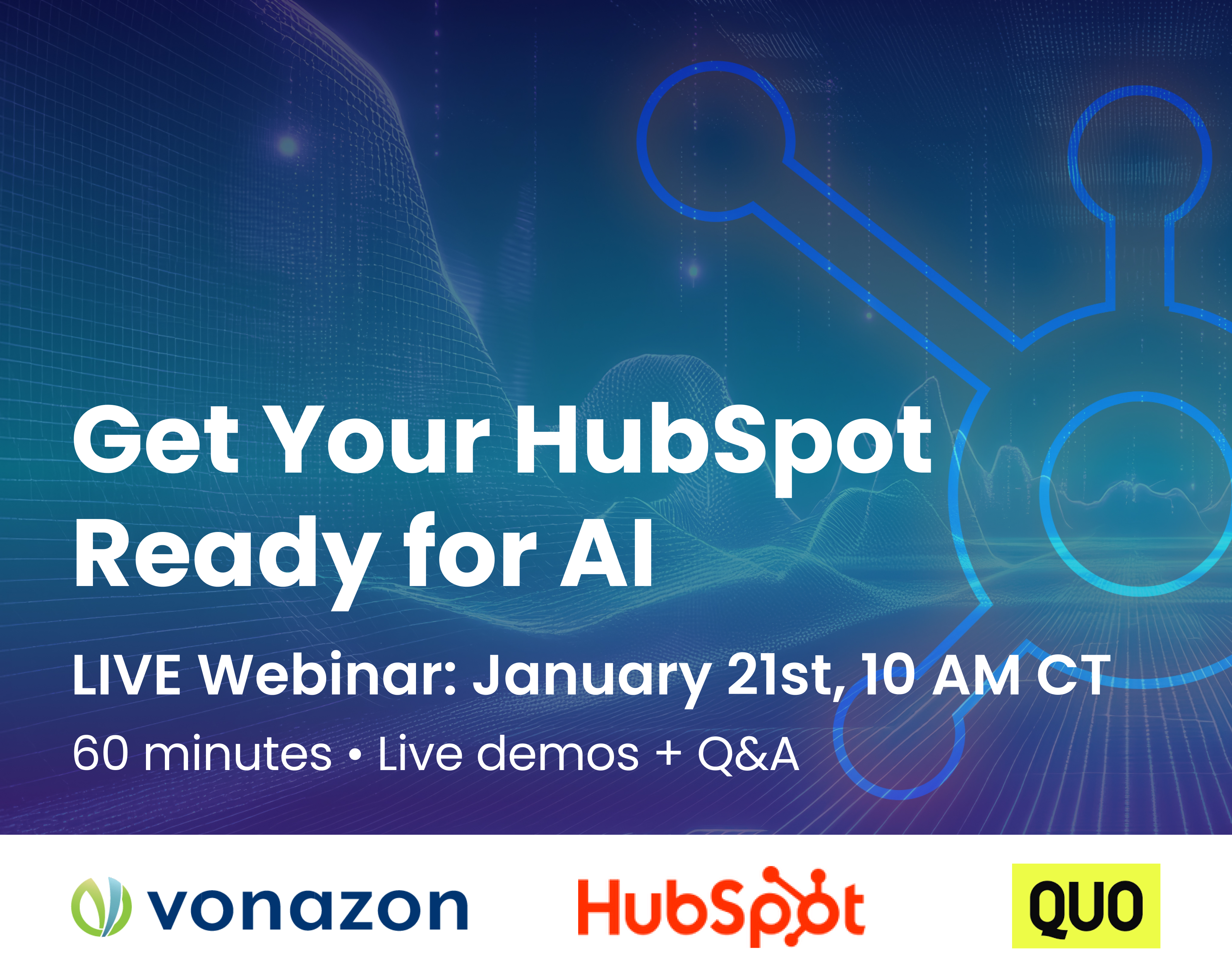
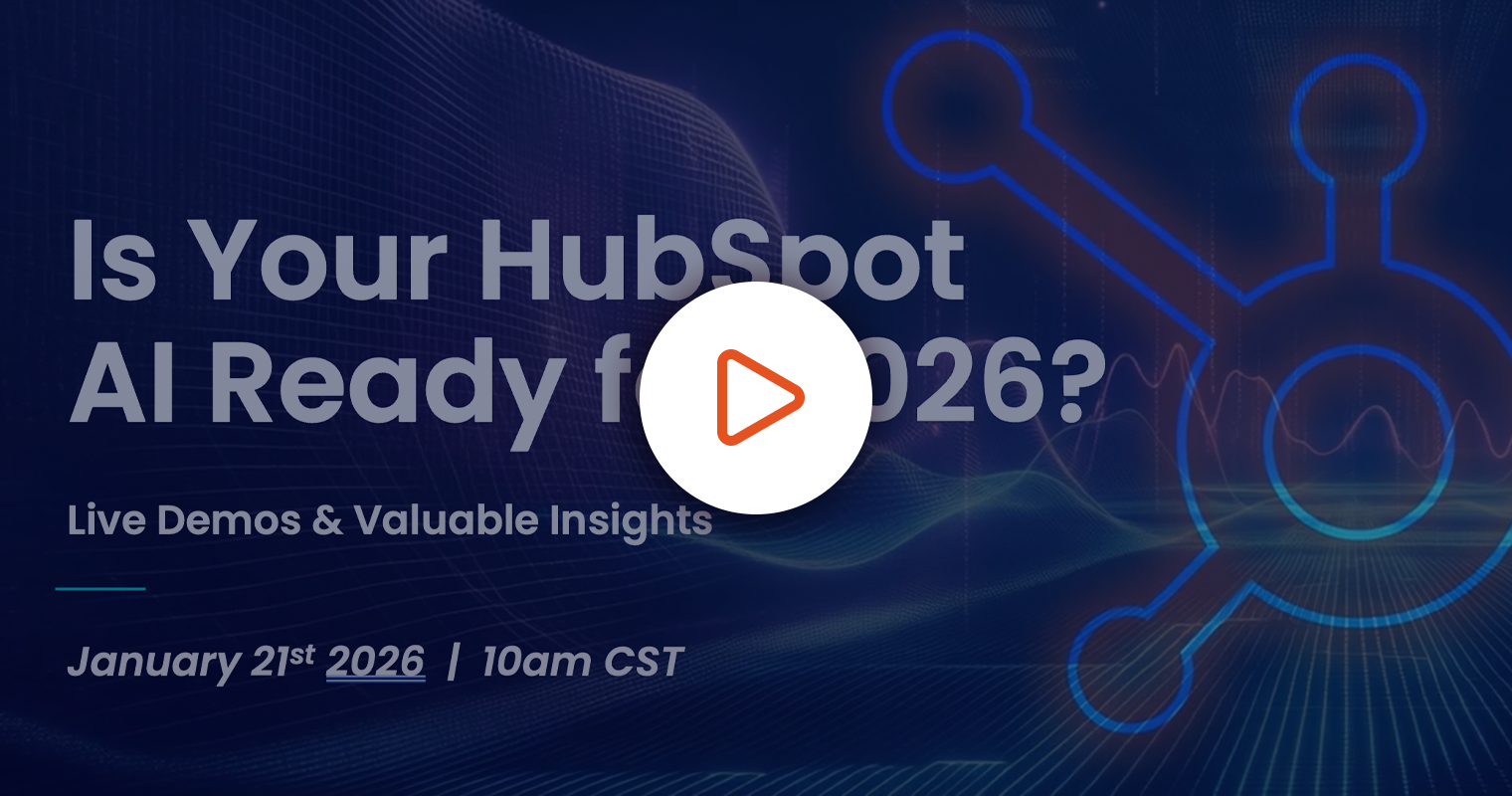
Watch our demo-driven webinar where Vonazon will show you exactly what HubSpot AI Agents & Assistants do, how to set them up to improve outputs immediately, and how to turn AI into a repeatable weekly rhythm across sales, marketing, and support.
Welcome everybody. Thank you for joining us today for get your HubSpot ready for AI. We’re excited to have you guys here. As you can see that the chats going off about where everybody’s from. So I love to see that. Over the next hour we’re, you know, going to be focused on some real-world applications of AI within HubSpot. Not just what AI can do, but how it actually helps teams with, you know, you know, just work more efficiently day-to-day across sales, marketing, service, and operations.
The goal of today’s session, you know, by the end of the webinar, you should have a clear understanding of how to prepare your HubSpot portal so AI can deliver meaningful, accurate, and actionable results. if there’s any questions throughout the webinar, feel free to use the Q&A section and we’ll make sure to either answer during or at the end during our Q&A session. of course, never hesitate to ask a question. We love that.
For those that don’t know me, my name is Miles England and I’m the director of partnerships at Vonazon. I’ll be your host for the duration of the webinar. I’m looking forward to it. Should be fun.
Now, couple things about Vonazon. we’re an elite HubSpot partner agency with hub, you know, with HubSpot you know, with the highest accreditations focused on implementation, integrations, migrations, onboarding, and of course, long-term optimization. A big part of our work today is helping companies build the right data and operational foundation so that HubSpot and now AI can actually do what it’s meant to do. Because AI isn’t magic, it’s only as good as the information that you give it.
Now, I’m going to introduce some of the speakers that we’ve got here today from the Vonazon team. we’ve got Derek Reynolds who will be covering the customer agent. Chloe Papke who will be covering the prospecting agent. Shannon Brady who will be covering some of the more hidden gems across the agents and assistants. And of course from the HubSpot team, we’ve got Maitri Sheth who will be covering data agent. Lastly, we’ve got the Quo team of Pallavi Singh and Justine Delgadillo who will be covering how Quo adds their own AI into HubSpot and how it can help create an amazing flow of data from software to software.
Now, couple things I’m going to transition to really quickly before we get started. I’m going to take a minute or two to show you how all this starts because of course AI needs a foundation. So, I’m going to share my screen really quickly. Of course, I think everybody can see it. If my panelists want to give me a thumbs up there, love it. Appreciate you.
All right. So, in the settings of your HubSpot account, if you go to AI and I go down into data sources. So, these are the foundations of HubSpot’s AI. First, brand kits. This is where AI learns how you sound. Your brand voice, tone, colors, messaging, generic output.
Company profile. This gives AI context on who you are, your industry, size, location, value proposition and positioning. Without this, AI lacks business level understanding.
Ideal customer profile. Of course, this is critical. Your ICP tells AI who you’re actually trying to sell to. It influences the recommendations, the prospecting suggestions, and prioritization across the tools, products, and services. This is how AI understands what you sell. If this isn’t clearly defined, AI can’t assist you with deal summaries, recommendations, or customer conversations in a meaningful way.
User profile. This is where HubSpot is actually asking about you. As you can see right here, it’s me, and I’m the director of partnerships.
And of course, buyer profile. This gives AI clarity on who your buyers are, how they think, and what matters to them, powering better messaging, summaries, and engagement suggestions.
And lastly, selling profile, which is newer but incredibly powerful addition. This helps AI understand how you sell your sales motion, approach, style. So AI supports your process instead of working against it.
Now all these pieces roll up in HubSpot’s data AI sources. And every agent and assistant you’re going to see today is powered by that information. I’m going to stop sharing my screen here. Think of this as setting the stage. Once this foundation is in place, AI becomes dramatically more effective.
Now, with that foundation covered, we’re ready to get start diving into the actual tools themselves. I’m going to hand it over to our first speaker, Derek Reynolds. Derek, take it away.
Thank you, Miles. I appreciate that. So, like everyone said, my name is Derek Reynolds. I’m the manager of the implementation here team here at Vonazon. I manage a team of influencers and engineers that build cool stuff in and around HubSpot. And I’m going to be going over the customer agent and showing you what it looks like in action. So, I’ll show and explain what it does. I’ll show you how to configure it and even give you some real-world examples of what this looks like in the field. So, I’ll take over the screen share and and go from there.
All right. I hope everyone can see my screen. I’m sure I’m going to get some thumbs up here. So, starting out with the customer agent, you’ll find this underneath the service icon in your navigation menu. So, under service, you navigate to customer agent. You’ll land on an overview page. This is going to look different depending on where you are in the setup process for this. The overview page gives you some useful information and quick actions. Things like adding content to your agent, activating a channel, creating some actions, and I’ll explain what those are. It also gives you a highlight of your knowledge gaps and even some high-level metrics of how your agent has performed or been used over the past week.
Where the heart of the agent really lives though is within the manage tab. So once we go here we get into the fun part. we get to name our agent. I chose HAL 9000. Some people might get that reference. And we can also choose the personality which Miles referenced the brand voice briefly. but we can choose from kind of a generic template if we don’t want to customize our brand voice. for this purpose, I have customized the brand voice. Like Miles said, foundation’s everything for the AI. and you have a lot of options in your brand voice. Everything from personality, tone, defining your mission in more detail, terms to avoid. Everyone loves their corporate platitudes, but maybe you don’t want your agent spouting them off. to substitute certain terms for others. and there’s even a section for inclusivity.
So once you get your brand voice set up, then you get into your knowledge sources. So you have four tabs here. Website only applies if you have website pages built within HubSpot. The same is true for landing pages. for the purpose of this demo, I’ve chosen to import some URLs. So, this is a great feature. You can add content. you can see you can do it from HubSpot, upload a file, or import a public URL. So, I’ve imported some URLs. you can also see that I that I had one that failed. And this is important to note. Not every page is scrapable. You know, depending on how they have the robot text file set up, they may or may not allow scraping. This is true certainly for HubSpot’s root knowledge base, but I was actually able to get in really helpful and handy though if the content isn’t publicly published on a website and you still want to get it in here. In terms of the files that the system accepts, it’s most of what you would expect. So, text files, doc files, PDFs. the list is actually pretty extensive.
The next portion of knowledge that you’re likely going to want to provide your agent is is some access to CRM fields. So, I’ve added some fields here from the contact record. and when you add a field, you have some options. So, we can choose to allow the user or the the visitor to, you know, view the data in that field. We can also choose to in cases where it is an editable field allow them to edit it. I’ve done this for phone number for example and I’ve included some others here that you’ll you’ll see in in the next section.
So actions is probably the most sophisticated and complex portion within the customer agent configuration. It’s not a necessity, but if you had some thirdparty systems or even some data within HubSpot that isn’t readily accessible through the management side of the customer agent, you can use the action section to configure API calls to really any system that you’d like. So, the beginning is pretty simple. You know, what is triggering this action to fire? do we have any required inputs that we need in order to process this this API call? And then from there, we can choose which API we’re actually calling to get this information. The default example here is, you know, what’s the status of my order, where is my order, and it will basically say, oh, give me your tracking number or give me your order number. And then it will provide some detail there. I’ve actually developed a slightly different workaround to this. You’ll see in a second. But if you wanted to make direct API calls to your shipping provider, you can do that through here.
After you get through your actions, then you get into the kind of basic messaging configuration. What does this look like when somebody first loads the chat? are they asking for email immediately after the first question before they hand it off to a human or don’t ask at all? In general, for most use cases, I recommend asking for an email. there is a cost associated with having people use this feature in HubSpot, the credit based system. So if you’re paying for the interaction, you’re paying for the large language model and agent capabilities, it’s good to get something out of it. So you know, a lead’s email address that you can then later market to is is valuable. And with that, you can also choose to ignore certain emails, right? So if you’re perhaps in a B2B space, you might choose to ignore all of the free email providers because you really want to to get people’s companies email addresses and not, you know, their personal Gmail account.
And then the last section in the settings is the deployment. So this is where we can choose our channels. This isn’t the only place you can choose your channels. You can do it from the the chat flow configurator as well as the inbox settings, but you can do it from here as well. for this example, I’m I’ve connected it to a live chat agent and it’s working all the time whether we’re in office or not.
And then the last setting is the human handoff. So, by default, there are some good rules here in terms of human handoff. Basically, if the agent can’t handle it or it seems like something completely out of left field, it’s going to politely offer to hand off to a human agent if someone is available. You can set specific triggers for this type of behavior as well. So, if there are certain questions that you want to flag immediately and have somebody triage, you you can do that. and you can also modify the the handoff behavior slightly depending on whether somebody is available or not.
So with that aside, the last kind of area I’d like to show you on this screen is really the testing. So the nice thing is you can test from here at any moment. insights, slightly modify the behavior. So if you’re not happy with the source that it sites or you’re not happy with the direction that it goes, you can do some some feedback modifications here to kind of alter the behavior of the chatbot. But the testing in a test you know sandbox isn’t as exciting as seeing what this might look like on a real website. So let’s do that.
So I’ve built a quick little web page here within HubSpot. again, it’s a live demo, so what could go wrong? And we’re going to open up HAL 9000. So he’s starting out by asking if we have any questions. funny enough, I do have some questions that I’d like to ask HAL 9000. So, I’m going to start out with one that is kind of similar to the actions that we were looking at in terms of tracking and shipping information. You can do complex API calls and that’s probably the best bet in most scenarios to be honest, but ultimately if the data is on the contact record, you can kind of make it happen.
So, I’m going to start out by asking it, you know, what is my tracking number? And it’s going to take a little while to think. It’s looking at my contact record right now. seeing if if that information is available, if the rules allow it to share that information with me. And you can see here that it actually did pull up my tracking number. So, it has my tracking number and it even provided me a link to that tracking number, which is great. So, if I open that link in a new tab, it takes me directly to the UPS website. And this package should have been delivered quite some time ago. UPS loading time aside, the package was delivered and it did take me to to the UPS website.
To jump back into how that happened and and how it was able to do that. if we go into our back into our CRM data, we can see that I have that tracking number information here. And if I go to edit that, you’ll see that I’ve actually provided it with some prompting instructions on how to provide this. So your UPS tracking number is tracking number. I’m asking it to hyperlink using the link structure below and to insert the tracking number at the end of that link. So in this case, I didn’t need to make an API call. As long as I had the tracking number in the system on the contact record, I was able to share it and share it in a way that it’s formatted that the person can link click a link and get directly to you know their tracking information.
So we have some other questions that we can ask. like I said, I gave it some training data. So it knows a lot about Vonazon, knows a lot about HubSpot. So, I’m interested, you know, how do I integrate Salesforce with HubSpot? depending on what your business is like, if you have a knowledge base or if you rely on any published data, you know, you can provide it with all of that training data to answer questions like this, even, you know, kind of rather complex questions. So, it gave us a simple breakdown of what it what we need to do to integrate Salesforce with HubSpot. Obviously, this isn’t a full integration roadmap by any means, but it’s a high-level explanation of how this works. it also cited its source. So in this case it pulled from the HubSpot knowledge base and you can see that here’s you know more detailed information on how to do just that.
What is the meaning of life? and here I doubt it’s going to give us an answer. it might in this case it could it couldn’t give us an answer. but it did try to divert to you know HubSpot life cycle stages which is an interesting pivot. yep 42 I see that in chat that is in fact the meaning of life.
And if we have a question or we want to you know follow up on this sometimes I’ve seen this behavior with this particular question divert to human and other cases it hasn’t. often times if you type in just human null which some people who are might be frustrated with the experience might do it should you know offer to to route us to a human agent.
All right. So, going back now to what that looks like within the system. We saw what the kind of customer experiences. I’m going to this contact record that I was using for my example. and we can see here that we have, you know, the full transcript is available to us within HubSpot, which is great because as marketers or sales people or service people, if we’re going in here to see what happened, what did that conversation go like, we have the full live chat chat history here. and we can go in there, make some assessments of how our how things are running, make some changes based on that feedback that we’re getting from the chatbot. as well as kind of getting some highlevel overview of performance from the customer agent section itself.
So the report does exclude today which is unfortunate but it will over time populate with some information around how the how many conversations did we handle, how many were resolved, if there was resolution rates. obviously the people who are interfacing with your chat agent have the ability to give feedback. Thumbs up, thumbs down. This was good, this was bad. So over time that becomes really valuable for modifying your chat agent.
I think one of the key takeaways that I want to make sure everyone has here is that getting this started and set up is really simple. Refining it to be world class takes time. It takes iterations. It takes feedback, modifications, and adjustment. So it’s not something you’re going to get done in one pass. you’re going to need to constantly revisit and re-evaluate where it’s at, how it’s performing, and if it’s meeting your business needs.
So, with that, I think Miles is ready to take back over and maybe we can have a couple of seconds of conversation around around this chatbot.
I mean, it is pretty cool. I mean the real question for me would be, you know, a use case that you feel is probably something most needed in this in this situation, you know, for for whom, I guess.
Yeah. So, I think it’s it’s gotten to the point where it kind of suits almost every business imaginable really. even from a lead gen perspective, it can be used simply for that. If you have any kind of support or service function within your org, you can tailor an agent specifically for that. So if you have any support documentation or any kind of instructional material around getting your product set up or troubleshooting your product, customer agent is kind of purposebuilt for that. But again, even if you don’t have any of that and you’re just selling, you know, you can kind of craft it to be the ultimate little BDR for you as well. So, it can it can do some lead handling. It can do some support and service work. it’s a very flexible tool, and I only expect it to increase in flexibility as time goes on.
See, now that’s good to hear. That makes me happy with those kinds of things. well, thank you, Derek. greatly appreciated. we’re going to move this right along. We’ve got a lot to to to cover. So, I’m going to introduce our next speaker, Chloe Papke.
Hi, everybody. I’m so excited to be here. I’m not going to be as funny as Derek, just an FYI, but I’m going to try my best. So, I’m an implementation specialist here at Vonazon. And today, I’m going to show you how prospecting agent fits into a real outbound or ABM motion inside HubSpot and how it supports teams at scale once account decisions and positioning are in place. So everything you’ll see here reflects how this behaves in live accounts, not an ideal setup.
So before I get deeper into the demo, I want to anchor us and how prospecting agent fits into the broader sales workflow because it doesn’t technically operate in isolation as many HubSpot tools don’t. So, HubSpot agent supports first touch outbound execution and it works alongside target accounts where you will be able to decide who matters, company research where it provides shared context and sales workspace where you can actually enroll live accounts where reps can just say enroll in prospecting agent directly from the sales workspace.
So, I’m going to share my screen. Give me a thumbs up when you all see it. Perfect. Great, great, great. Okay, so target accounts is where I see the most confusion. So I want to be precise here. So when we are choosing a target account, markets are going to be where you define the fit. So as you can see, I can pull from in my CRM or I can grab net new companies. One thing about net new companies is it won’t grab any contacts which the prospecting agent needs to send. So start off within your CRM. You can use net new companies but you’ll have to do the research yourself to find the the contacts when we are grabbing from markets.
Pretty cool stuff here. It’s kind of similar to your and I’m blanking on the word but we’ll see. When I click into techdriven growth and digital transformation and I hit edit, we can actually see here that I was able to set it up with your ah ICP logic. So industries, keywords, exclusions, geography, size, revenue, technologies. So in this example, I created a market focused on techdriven growth and digital transformation and I defined the criteria that mattered to us.
So once this market exists, I’m actually able to go back into my target accounts here under the sales section and I can filter by that market. I can turn this on and I can say techdriven growth and digital transformation and then pull in companies from there and hit select accounts. And all of a sudden, tada, they’re added to my target accounts.
From here, what we’re going to want to do is we can have the agent immediately start researching if we want to. This does use some credit. Oh, it doesn’t use credits now. It will use credits in the future. so use it while you can or while you want to. Scrolling on over, I’m actually able to filter by company owner. Here’s someone. Perfect. I know we have contacts for them. And I can see here that they’re already enrolled in the prospecting agent, but if I want to, I can start outreach with someone who isn’t.
Going back over to the prospecting agent. So now that I have my target accounts enrolled in here, I can see the status. So we have some people being researched, we have some people cued, and then we also have some emails that I need to review. And this is because I set it up a very specific way. And I’m going to show you that. So I’m going to go here into agent setup. I’m going to choose a selling profile. And I’m going to choose my Vonazon HubSpot elite prospecting profile. All righty. So, I’m going to show you the little areas that matter inside of here.
All right. So, identity. This is who the email is sent from. So, I chose to send from the contact owner, but you could do send from a single user.
Tone. This is going to be using your brand voice like Derek talked about earlier. You can also use a preset tone. I say use your brand voice. Set up your vamp brand voice if you haven’t. It’s super super helpful and as you can see, used throughout HubSpot.
All right. selling information. If you plug in your website, the AI will pull from that and draft these little examples, but I tweaked it a little bit because I wanted to add some information. You can definitely go in and edit after. Another important thing is it does grab your products and services like Miles talked about earlier. So, if we hit edit products and services, you can see here that we have our products. It’s pulling directly from that and pulling it into the prospecting agent. Here, I was able to choose those. If I wanted to only choose a few for this specific agent, I could.
All right, moving on along, we have calls to action. So, here the agent lets you grab in a meeting link. you could add in a document and you can also add in a link to include in the outreach. I’ll show you what that looks like shortly.
Guard rails. This is how I have it set up so that I review those emails. Review before sending. You can have it send automatically. I recommend to have it review before sending for a while so you can see how it’s performing. You can tweak anything you need to here in the settings and then once you’re pretty confident, have it send automatically. You’ll be able to edit that outreach guidance by saying, “Okay, this is when I want it to send. This is how many days between emails, and this is how many emails I want to send.” That way, you won’t be sending someone like 20 emails.
Going here into advanced instructions, we can have some custom instructions configured. I pulled from seniority based messaging because I thought it was really cool, but you can add in whatever you want. But basically, it says for seale executives and VPs, keep emails concise. You can get really specific here and go ahead. You have a ton of space to do so.
So, going back into target accounts, I’m going to show you the emails that it drafted because that’s, you know, what it not target accounts, prospecting agent, because that’s what it does the best. So, here we can see all enrollments ready for review in progress, finished, errored, cued. I’m going to go to ready for review, and I’m just going to pull someone up. Click on the email here. We can see, okay, hi Ryan. managing a fast 10-day turnaround while scaling Americanmade steel door production is impressive. It customizes that. It knows that about him. How? Because it researched him.
Here we can see the contact summary, the CRM research, the company summary, web summary, company values, company job opportunities, product analysis. It does all of this for you. Imagine how much time this will save you not having to do this research, not having to find someone to send these emails to. And then also having this beautiful email drafted for you that you can go and make some tweaks to it and then hit approve and it sends right off. So much time. It’s so impressive to me.
Another email I’m going to pull up just as an example because I want to brag. I’m going to click this one. This one’s a little longer because it had a little bit more to work with. But as you can see here, this are those CTAs. That’s my meeting link. This is the document that I shared. And here’s our website. So, that’s really all I really have right now to demo. If you guys have any questions, of course, let me know. Ask them in the Q&A, but I’m really excited about this one.
Chloe, have you found that longer emails tend to do better or shorter or does that matter at all?
I mean, personally, when I get an email from someone, I’m really busy. I don’t want to scroll through a really, really long email. but I find if it, you know, is mentioning things that matter to me, I’m more interested. If it’s a generic email, of course, I’m like, “Okay, okay, okay.” But if they’re mentioning things like, “Hey, I understand this about you. I know this about you.” First of all, I’m like, “How do you know that? You did your research.” but keep it about a couple paragraphs at most.
Sounds about right. well, as we’re we’re rolling right right along, you know, again, if you’ve got questions at all, please put them in the chat. We’re doing our best to to answer as many of them as we possibly can. I’m going to introduce Shannon Brady. Shannon, you’re going to be going over obviously some hidden wins.
I am. I am. All right, y’all. As mentioned, my name is Shannon. I am known for talking slow and being brief. Just kidding. But I’m going to do my best to do that today. All right. Having discussed a few tools y’all are already familiar with, I want to show you a few hidden gems inside of HubSpot’s AI ecosystem. These are agents and assistants that are incredibly useful but often overlooked. if you’re trying to get more out of your HubSpot without adding a lot of like work to your plate and things of the like, these are the ones you should definitely be familiar with.
All right, so as you can see here, we’ll be going over the deal loss agent, closing agent, as well as the social post agent to start and then move into our assistance. So, when it comes to the deal loss agent, we want to analyze closed loss deals to uncover patterns and trends leading to less money and time wasted. Did we hear that? Less money and time wasted. I feel like everyone’s ears should be ringing, right?
How does it do this? We identify common reasons deals are being lost through highlighting breakdowns in pricing, timing, or fit. This helps our sales leaders coach more effectively with the loss summaries, trend insights, and recommendations that are given in this lovely agent. All of this leads to clearer visibility into what’s not working, allowing better, more informed sales strategies and decisions. Okay, so that’s for the deal loss agent, our salespeople. Are we listening? All right, great.
So the closing agent, this supports reps during latestage deals to help develop more opportunities moving forward. So, in the deal loss agent, we got a lot of details here. This is before the game is over, right? We’re going to get some logistics such as what are the next best actions to help us close, and we’re going to highlight stalled deals and missing steps. This will help our reps stay aligned with proving closing patterns with deal insights, reminders, and closing recommendations. This leads to shorter sales cycles, better follow-throughs, and fewer deals slipping through the cracks. So, once again, beating a dead horse here. If you’re in sales, let’s hang out with the deal loss agent and the closing agent.
Okay. Now, moving forward to some of our marketing folks with our social post agent. Okay. What we want to do here is really train it to make it our own so that it does what we want it to do. What does that mean? We’re going to create and refine social media content directly from HubSpot context. Okay? So, we’re going to generate social post based on the campaigns, blogs, the material that’s already in the system. All right. This will adapt the tone and format for the different platforms that we have available and helps our marketing team stay more consistent without having to start from scratch every time. we can draft social post ready for review and publishing. And this all leads to faster content creation, more consistent posting, and less time just kind of looking at that screen blanking out. Okay, so again, pay attention to where you fall in HubSpot. Are you sales? Are you marketing? Do your thing.
All right, y’all. We’re going to jump into you know, our assistant. What are agents without assistance? What are we without assistance? All right. the one that I really like that I’ll give a demonstration on is our internal FAQ assistant, also known as a frequently asked questions assistant. This guy answers that internal how do we do this? hires as well as answering the repeat questions about processes, tools, policies, and it acts as a searchable internal knowledge base. The AI generated answers are once again pulled directly from that internal content. This leads to less internal noise, faster onboarding, and fewer interruptions for ops and our leadership.
Okay, the last thing I’ll discuss before going into our demonstration is the brand assistant core application here. Okay, let’s keep our messaging tone and voice consistent across all platforms. This is generated this generates really on-brand copy for emails, blogs, landing pages and socials. This helps our team stick to approved language and positioning, reducing the back and forth that some of us may have on wording and tone. I want these, you know, whenever we’re making any kind of branding, we want it aligned and we want the drafts and suggestions to be coherent and that’s what this guy does. This all leads to more consistent messaging, faster content creation, and fewer revisions across the team.
So, let’s get into what the yeah, the internal frequently asked questions a assistant will help us with. So, let me pull that up. All right, here we are. So, as you can see, this is what’s going to pull up as soon as we go into the breeze area. Okay. So, if I open this guy, it’ll pull up this assistant right here. Now, before I ask my question, I’m just going to configure it. All right. And make it work the way I want it to. So, in this configuration, I’m going to want everyone to feel welcomed. So, let’s add some kind of welcoming to help us address what it is we’ll be doing.
Now, assistants are great at following instructions, or they better be, cuz HubSpot made that. So, we’re going to put in how we want it to flow. Here we have parameters that we set forth. If we continue to scroll down, you can have other conversation starters if you’d like. You know, little ice breakers, things of the like. and then at the very bottom, where are we getting this information? As I’ve repeated time and again, what’s great about these agents and assistants is that it pulls from our HubSpot CRM records. I say it all the time in my onboardings. What is our HubSpot without the information we’re putting in? It works as well as we do.
So, we can just pull from our CRM or we can pull from the web as well. And then again, referencing what Miles discussed in the beginning, we want to add particular knowledge. So, we set this up in the beginning to set ourselves up for success, right? So, you would add anything you’d like to to make this a best represented answer. And then here’s a question I would ask. How does HubSpot decide which contacts are considered marketing contacts? Give it about a minute and then we get the answer. It took my guy 25 seconds to do this, right? Because we already have this answer within the system. So here we are looking it over. Great. I have my answer. All is peachy keen. Right is rain.
And I just want to drive home a few of the points that I made. All right. for the marketing teams. Let’s go to that social post agent and the brand assistant to create on-brand content faster. And then when we look at our sales guys, I want to close more confidently using insights from the closing agent as well as the deal loss agent. And then you know the team at large will generally get instant answers via that internal FAQ assistant. Did I mention that everything I talked about cost zero credits? Yeah, you’re welcome. I’m saving you money. I’m saving you time. That’s why they put me in the middle so that you guys would be all excited. You know what I’m saying?
All right. So, that’s essentially all we have going on. If you work with me and I see a few of my names, my people, that was as slow as I get. And yeah, I really did my best though.
That was fantastic, Shannon. Thank you for all the information. These little hidden ones, guys, I I know perfectly well. I’m not really asking a question here. I just know that these ones are the ones that HubSpot’s still looking at. So absolutely something to to grab a hold of now and and really get going. But again, without further ado, I’m just going to get right to HubSpot and HubSpot speaker, Maitri Sheath. I will pass it off to you and allow you to go through the data agent.
Thank you so much, Miles. Hi everyone. My name is Maitri. I am a product marketing manager at HubSpot. I’m calling in from Chicago. So if anyone here is from there, send me a hello in chat. and I’m here to talk about data agent which we haven’t heard about up until now in this webinar.
So we talked to a lot of teams like the ones we have today and we do hear very often that manual research is what is killing productivity across marketing, sales and service teams within businesses like yours. Most people in these teams are still doing manual work every day. Like think about it yourself. How many times a day are you googling companies or digging through call notes or scanning emails just to try to piece together some customer context?
And the magic really here is that data agent does that work for you. So it really comes in and analyzes your CRM data, your calls, emails, documents and even your web and then writes those answers back into HubSpot as something called as smart properties which we will get into more when we do the demo. just so that your entire team is aligned and can see it exactly what’s happening within your CRM.
For marketing teams that probably means better qualification and segmentation. You can get instant answers to questions like is a company hiring or did they just recently raise funding? Are they expanding into a new market? You can really go out there and personalize your outreach depending on answers to these questions.
For sales teams, it means showing up more prepared to your meetings. You can really get into data agent and ask it questions like what products did they mention on the last call or like what competitors are they evaluating. You can really enter your meetings ready to close the deal and so much more prepared because you now have answers to these questions and more context from previous conversations.
For service teams, this really also means shared customer context. Even when there are handoffs happening between teams, everyone on the team knows what issues came up before or what commitments were made, what patterns are we seeing across conversations, which just of course eventually reads leads to better customer conversations. So without further ado, let’s dive into the demo so that we can see how data agent truly does all of this in action.
Okay, great. Thank you so much. so yes, this is what my CRM looks like. let’s assume that I work for a company called Zen Plant Care, and I just got back from a big commercial real estate conference. And this really is a list of everyone that my team met with on at the event today. It’s full of property managers, landlords, co-working operators, and a bunch of folks who were just walking around. Before anyone wastes time, the first job for me to do looking at this list is pre-qualification.
So what I’m going to do and this is where I’m going to use data agent is create a smart property just so that I can go in and segregate this list. So, if you can click here and you go into add column, what you want to do is you can see all of the existing columns that you have right now, but you want to go into create a new column. And if you can see this little sparkles here, that’s HubSpot’s way of telling you that you’re now using an AI feature. And what I’m really trying to understand from this long list of companies that I have is that how many of these companies are actually managing commercial property. If they don’t manage a space, they’re not going to buy a plant subscription for me. So that’s literally what I want to know and that’s what I’ve asked data agent.
If you can see my prompt, it’s nothing fancy. There’s no engineering or detailed explanation that’s required. literally a simple fit question which was exactly what was on top of my mind. so as you can see data agent has come back with a suggested label and field types. for the kind of question that I’ve asked a yes no works perfectly for me. But if it was a more complicated question or I wanted more details I could always go in here and select the kind of response I want data agent to come back and give me in my CRM. But for now, we’re going to stick to a drop down. We’re also going to go in and make this a a like a smart prompt just so that it gives data agent more context to go out there and search for the information that you want.
So, as you can see, it’s come back with a very precise prompt that it’s going to give the agent to go out there and search for. Again, as you see, the data source is web research in this case, just because that’s what I’m going to rely on to get to know more about my research. So, we’re going to go ahead and create and view fill property. this is a new feature that we have that where you’re prompted here itself about filling in smart properties. and what I’m going to do is fill the smart property for all records in my CRM. And we’re going to go in here and we don’t want to see in our enriched view. We’re going to go to the all companies view. And as you can see, that’s all of the records that I have. It also gives you notification of your credits. So you are aware and there’s full transparency about where your credits are being spent. And you can go ahead and fill smart product property.
Great. As you can see, we instantly within seconds have our property created here, which was managers commercial property. And I now know exactly which of these companies actually manage a commercial property and which don’t. And the most interesting part for me about all of this is the fact that I can always click into the source here to see where did data agent get this information from. It is just so trustworthy in the sense that it’s not something that’s assuming any of these answers. You can go into the sources and see where all it pulled that data from. Because our source was web research, these are the web domains that it’s gone in and searched for.
Also right before this call I did create one more property so that it would be easier for us to look at it and it was more about primary competitors. Sorry. Yeah, this is what the primary competitors look like. But if you can go and see what that looked like was again I gave it a search of figuring out who the main competitors of these companies are just so that I could pitch my company well against them. And again this went through web research and found that information. But I can go in here and probably click another source that I would like data agent to pull information from. whether I wanted to go on a company website and find that information or property that already my team members have put into it or even like past call transcripts that were existing out there. So, but for now because I have not spoken to any of these companies or have any data around them, I’m going to stick to web research.
So yeah, that’s what you see now. I have more information about these companies than I did before I walked into speaking to them. And what I can do now is go into advanced filters and probably add a filter of the smart property that I just created. And I want to know if I only want to speak to people who do manage commercial properties. So we’re going to click on true. Oh yeah, we’re going to sorry, we’re going to click on true. And we’re also going to add a filter of primary competitors. And here we can see we only want to know who have competitors of company A, B, and C. you can add more filter groups here just so that you know exactly the kind of people that you’re speaking with or how you went across putting them down. And that’s exactly how it’s easy for you to go ahead and filter down this list to see who exactly do you want to speak to.
Moving away from the CRM itself, you do have you can access data agent by going into data management right here where you can click on data agent and it here is really where you can understand how smart properties, smart actions and smart columns work. And here you can also go ahead and create smart properties if you are not sure the kind of information that you’re looking for. So there are prompts that already exist out here that you can use directly within your CRM and have it sort of filter it out to give you details about this information or you can just create a smart property right from here itself to be able to access it.
Just to call out you can also access data agent through breeze. So you can click on breeze and this is where you’ll get more information about data agent along with all the other agents that exist. So yeah that is all from me. I hope this was helpful for everyone and you got to learn something new from this session today.
I mean it’s fantastic information. well actually one question for you. you know again this is very HubSpot centric but where do you see the the AI going right now? We’re we’re consuming credits for I believe three agents which is customer prospecting and data. what is what is HubSpot’s plan in terms of just the AI in general?
Yeah, I mean I think I feel like we discussed this all year within HubSpot just because we want to be able to serve customers in the best way possible. But or bloating you know like flashy tools. We think about AI in a way that is really about helping teams actually get work done. So if we talk about in alongside you like it’s always for us AI with human in loop. So that’s exactly how even inside HubSpot that shows up as agents that handle real jobs like answering customer questions or researching accounts or keeping your CRM up to date and things like that. So the big idea is that AI is only as good as the context it has. So we really are…
I know perfectly well. I’m going to save a couple for the Q&A once this is going, but I’m going to move forward real quick and get into our partners at Quo and I’m going to inter introduce Pallavi. please take it away.
Hi everybody. I’m Pallavi Singh. I’m a partner manager here at Quo. I just want to quick do a quick level set and if you’re a Quo customer or you’ve heard of Quo before like give me a thumbs up or drop something in the chat. Would love to know. but just so you know if you haven’t heard about us, Quo is a collaborative business phone system and it’s used by over 100,000 companies. It’s a software that brings all of your calls, your texts, your contacts into one really nice shared workspace. So all of your teams have full visibility, full context, whether they’re in your department or across your org, sales, support, ops, whatever it might be.
And you might be wondering like why are we here today with HubSpot and Vonazon? We integrate with HubSpot very deeply and we partner with Vonazon to help all of y’all. So together, we’re trying to help the teams here today connect what’s said on the phone or in text messages with what lives in their CRM. And the goal really for us is that nothing falls through the cracks. You’re not missing revenue and follow-ups happen when you’d like them to happen.
Perfect. Quo also has some really nice built-in AI. A few things that it can do that you see here is we can automatically summarize calls, highlight next steps. Justine, my colleague, I’m going to introduce her after this, is going to walk through Sona in more detail, which is our AI voice agent. but the key idea is really just that your conversations don’t just get logged, they actually are understood, they’re turned into action. and especially once they’re connected to HubSpot, especially the workflows in there. So, with that, I’m going to introduce Justine, our senior customer solutions manager, and she’s going to take you through our AI and and a demo of Quo.
Hi, everyone. Yeah, Pallavi, I saw we called out Sona. probably one of my favorite features. so, thanks so much, Pallavi, and everyone. Sona is Quo’s AI agent, and kind of bringing it back to the context here of making, AI more accessible. Sona is built within our platform where you will never miss a call, very customizable, and there’s effortless oversight because everything is in one location. and there are custom jobs where Sona, excuse me, Sona can be an extension of your team. And, how that all kind of connects together with today’s webinar is it integrates with HubSpot.
And I’ll show you how to make sure that you’re not losing any leads within the pipeline for folks who have maybe a SMB business where a call is integral to them making money. Also, next one and yes, so like I had mentioned earlier so Quo is integrated with HubSpot. So we have a native integration to our CRM here and we log everything. So we’ll take a look at how calls are logged, how messages are seen and then also to what Sona looks like along with a quick workflow that we can create in HubSpot itself. And with that I think we should just jump into the platform.
So, I’m going to go ahead and share my screen here for everyone that is joining. I would also love a quick little thumbs up if you can see it. Awesome. Thanks so much everyone. Okay, so just to kind of give everyone some orientation here, if you are not familiar with Quo, this is our Quo app and essentially everything is housed within a context of an inbox. So, if you have multiple phone numbers, you’ll have different inboxes here. So, this is my Quo Windows company demo. And essentially here is when we’re intaking leads and making sure that nothing falls through the cracks. And Sona fits in nicely with this company because they get a ton of calls making sure that folks can get quotes on specific window cleaning. but the team is out doing a lot of the actual jobs themselves. So Sona can help bridge that gap between not having enough hands but then also extending your team.
And what that looks like is you’ll notice here on the left we have those phone numbers. Here in the middle we have the we’ll take a look at how to actually set that up. Kind of tying it in and wrapping it in a bow. Sona is going to be as smart as you train it. so we’re going to pop in and take a look at what that looks like on a customer’s experience within Quo. So, for our Quo Glass company, this is kind of a workflow that we’ve created to, really filter in those calls and connect those callers to the right department or the right people and even use Sona to help answer questions and, Sona definitely very configurable.
We have steps here on the right hand side where you can do different things within our platform when it comes to calls. And Sona is the AI agent that you can drag and drop in. So if I click on Sona here, there’s a configurable menu that you could see on the right hand side. You can test Sona before it actually goes live. You can create different call flows just to make sure that you can test it before it hits your customers. and handles those calls. And then in terms of the grading here, you can make this customizable to yourself. Sona doesn’t have to be called Sona. and you can make sure that it has context on how you would answer a call typically.
And in terms of the knowledge that you teach Sona, this is going to be the information that Sona should know about your business. And in that, what you can do is a couple of things. You can import your website where we will create a customized page that will files if you have PDFs documents that Sona can really learn from. You can upload there those here as well. And if you don’t have any documentation and you don’t have a website, that’s okay. you can use something like a personal page, kind of similar what I did here for Quo GlassCo. on frequently asked questions. So, a lot of the times when this company gets a call, it’s going to be centered around wanting professional window cleaning services and this helps answer that. you’ll notice it’s in a question and answer format and then we’ll be able to go from there.
And then finally, there are specific jobs you can give Sona. So whether that is an escalation, so getting to the right person if there’s something wrong on the job site or the residence or scheduling time with your team to get a quote or schedule an actual cleaning itself. We do have a couple couple of templates that are pre-made so that you can go ahead and edit those as you go along. So, we do have call routing. We have escalations for maybe some of those support related questions, lead qualifications, scheduling. So, you can send them a link to book time for an actual service or booking time for a consultation. And you can also have Sona take messages. So, this is going to be definitely smarter than a voicemail and cheaper than you would have as an answering service. you can edit the information that you collect as well.
Now, since we integrate with HubSpot, I’m just going to take a quick peek at what that looks like. So, in our HubSpot record for contacts, that’s how we match the conversations that you’re having within Quo by the phone number. You’ll be able to see here the text history, the call history. You’ll notice that this call was handled by Sona and I requested a booking time for a consultation. and what I can do with this information is essentially if this person has booked time with us, we can set it as active. And then from there, what we could do is go into our workflows and send them a text message for a followup. just to make sure that you know they’ll know when their technician will arrive what information that needs to be passed on, when the cleaning is actually happening and any follow-up information.
So once we set them to active, we’ll trigger that. We’ve created custom code which I can share with anyone who’s interested in doing this. I’m not an engineer by any means, but I did geek out and was able to use a lot of the HubSpot AI functionalities, which is great. and then I’m also able to create that custom message. So, definitely something that, I would check out. we do have the API. This is available. the integration itself is available on our business and scale plan. but on this side on the configuration of the web the web hooks it would be on the enterprise or professional plan I believe on HubSpot. So if you’re interested in checking those out we have a couple of those resources but that’s it for me.
Ah, and if you’d like to learn more and again, but we’ll learn and jam more about Sona.
Awesome. Love to hear it. like I know we’re we’re pushing time, but if anybody has any additional questions, I think we’ve answered pretty much everything in the chat that’s come across. if there’s anything else that somebody has wants to get in quick, I’d love to be able to answer it. where can we find more custom code? You shared Justine.
Excellent. Justine classic mic muted. yes. if we have your email address for when you registered for the webinar, I can pass on that documentation. and, hopefully can answer your questions on how to send those text messages via the web hook.
Love to hear that. I don’t see much more and we are at time. I again any questions that you do have obviously you can reach out to our Quo partners of course you can reach out to Vonazon we are here to help at any time. again I just want to say thank you to everyone that able to join. I want to say thank you to our our speakers from HubSpot from Quo of course my own team. They’re wonderful. I appreciate you all and I hope everybody has a great rest of your day. Talk to you all soon. See you next time.