A PRACTICAL GUIDE TO HUBSPOT AI AGENTS
There’s a moment in every growing company where the wheels don’t fall off entirely, they just start wobbling in a very concerning way. Marketing is cloning the same three nurture flows because no one has time to build a better one. Sales is doing detective work across ten tabs to write a single halfway-decent follow-up. Service has an internal drinking game for every time someone asks, “Can I talk to a real person?”
And somewhere in the middle of that chaos, somebody says the inevitable line: “We should use AI for this.”
The problem is, most AI tools are basically fancy calculators with a chat window. You paste in context, you get a paragraph, you paste it back into HubSpot, and then you do it all again tomorrow. However, meaningful forward progression is not being made.
HubSpot AI agents are part of HubSpot’s broader artificial intelligence platform, designed to automate and enhance marketing, sales, and service workflows. HubSpot provides an official overview of these capabilities here.
HubSpot AI agents are powerful, but value depends entirely on how they’re configured across marketing, sales, and service. Most teams underutilize them because workflows, data, and governance aren’t aligned. This guide focuses on what actually works in production environments.

HubSpot AI agents take a different swing. Instead of “AI features” sprinkled across your tools, you get AI teammates that can own real pieces of your go-to-market engine, such as answering customers, prospecting, nudging deals along, cleaning data, and personalizing experiences. They live inside your HubSpot portal, plugged into your Smart CRM, using the same customer record your teams rely on every day.
HubSpot’s Breeze AI agents are a way to turn AI from a side project in another tab into an growth team that works alongside your humans, inside the system you already use.
Why HubSpot AI Agents Act More Like a Workforce Than Features
Most platforms talk about AI as a feature: click a sparkle icon, get a paragraph. Breeze AI agents are closer to hiring a specialist with a clearly defined job description.
HubSpot’s Breeze Studio is the command center where you:
- Discover agents in the Breeze marketplace
- Customize how they behave
- Deploy them into your live workflows
- Monitor performance as they learn and improve over time
Each agent plugs into HubSpot’s Smart CRM, which means they see the same customer data your teams rely on. They’re working on top of real account history, deals, tickets, conversations, and content. In practice, that means your “AI workforce” sits inside the same place your human workforce already lives: your HubSpot portal.
What HubSpot AI Agents Actually Do
in Real Revenue Teams
HubSpot is continuously adding new Breeze AI agents, but here’s the core lineup on the product page right now and how they show up in day-to-day work.
Customer Agent: Your 24/7 Frontline Specialist
Customer Agent is the one that never calls in sick and never disappears from the inbox.
It can:
- Answer repeat questions from your website, chat, or other channels
- Pull answers from your knowledge base and past conversations
- Escalate to humans when a case needs nuance or negotiation
Teams using HubSpot’s AI customer agent are already seeing measurable results: automatic resolution of more than 6% of conversations (top performers hit around 90%), faster ticket resolution, and higher close rates on deals touched by the agent.
Prospecting Agent (Beta): The BDR That Lives In Your CRM
Prospecting Agent behaves like a researcher and BDR rolled into one:
- Watches for buying signals in your CRM and website behavior
- Conducts custom research on prospects
- Drafts outreach emails in your brand voice, with context baked in
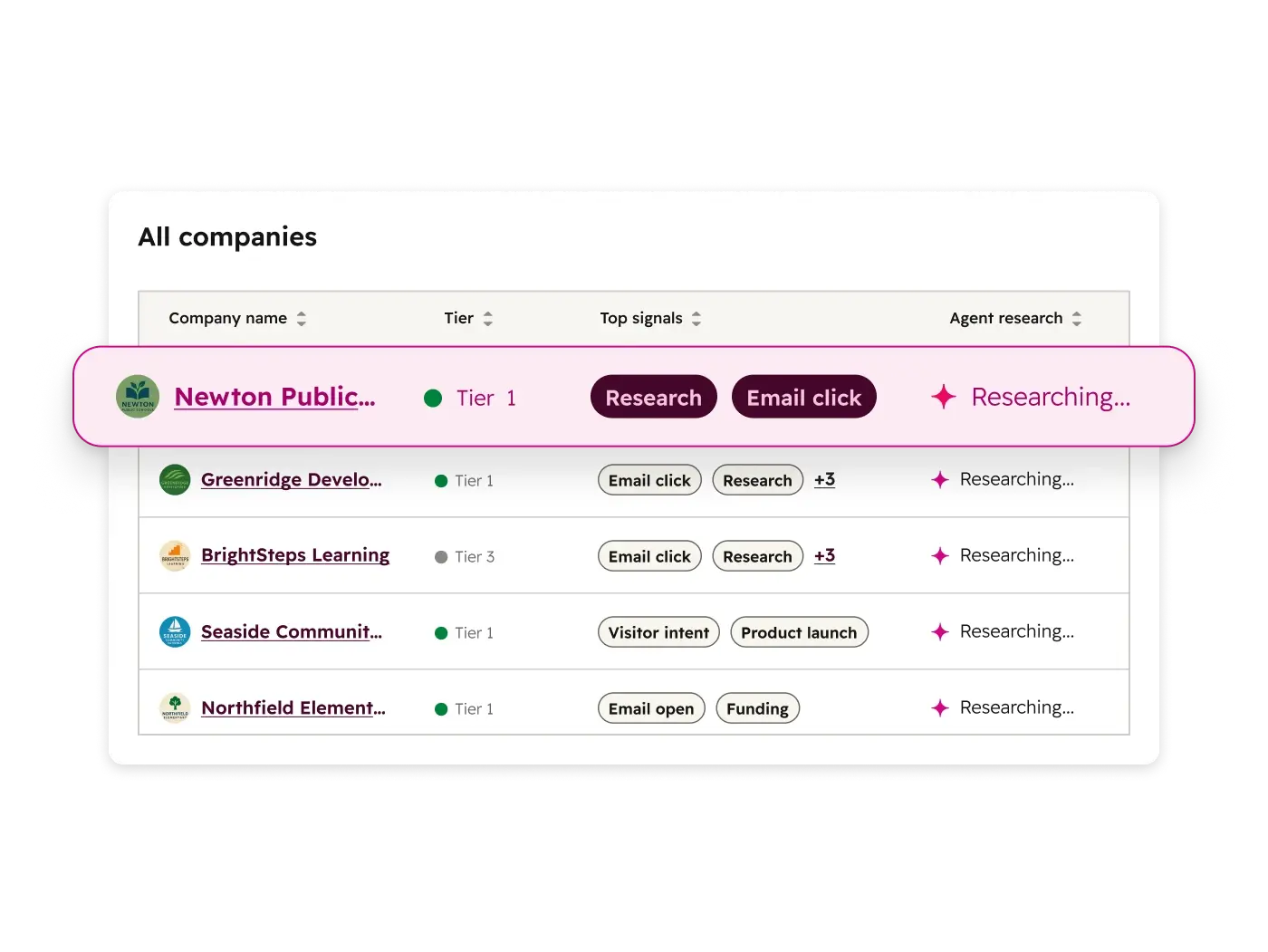
Instead of sales reps losing half a day to list building, LinkedIn lurking, and writing the same intro line for the hundredth time, Prospecting Agent does the heavy lifting so they can focus on conversations that matter.
Closing Agent (Beta): The Deal Shepherd
Closing Agent sits closer to the pipeline. Its job is to help momentum, not just send another follow-up that sounds like it was written in a rush in the parking lot.
It can:
- Surface insights about buyer engagement and roadblocks
- Serve approved content directly to buyers so they can move forward on their own
- Ping sellers when a human touch is needed to handle objections or pricing
Think of it as a deal concierge that keeps both the buyer and your rep informed and moving forward.
Knowledge Base Agent (Beta): Documentation That Writes Itself (Almost)
Your support team knows exactly which articles are missing. The problem is they just never have time to write them.
Knowledge Base Agent steps in to:
- Spots content gaps based on real tickets
- Drafts new help articles grounded in actual customer questions
- Helps keep your documentation current without killing your team’s week
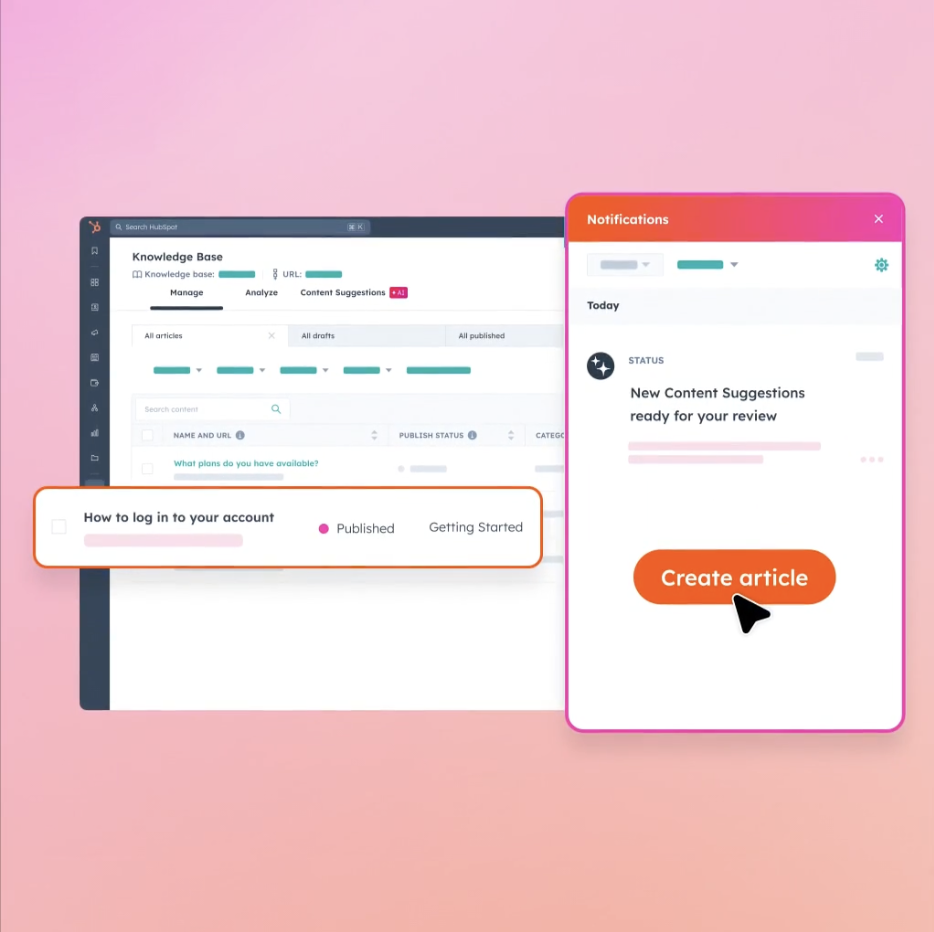
It’s like hiring a technical writer who reads every single ticket before they type a word
Personalization Agent (Beta): Targeting Without Guesswork
Personalization Agent is built for marketers who need more clarity on insights like open rates and click through rate.
- Identifies segments that will respond best to tailored content
- Generates personalized web pages and CTAs for those audiences
- Aligns on-page experiences with what your CRM knows about each visitor HubSpot
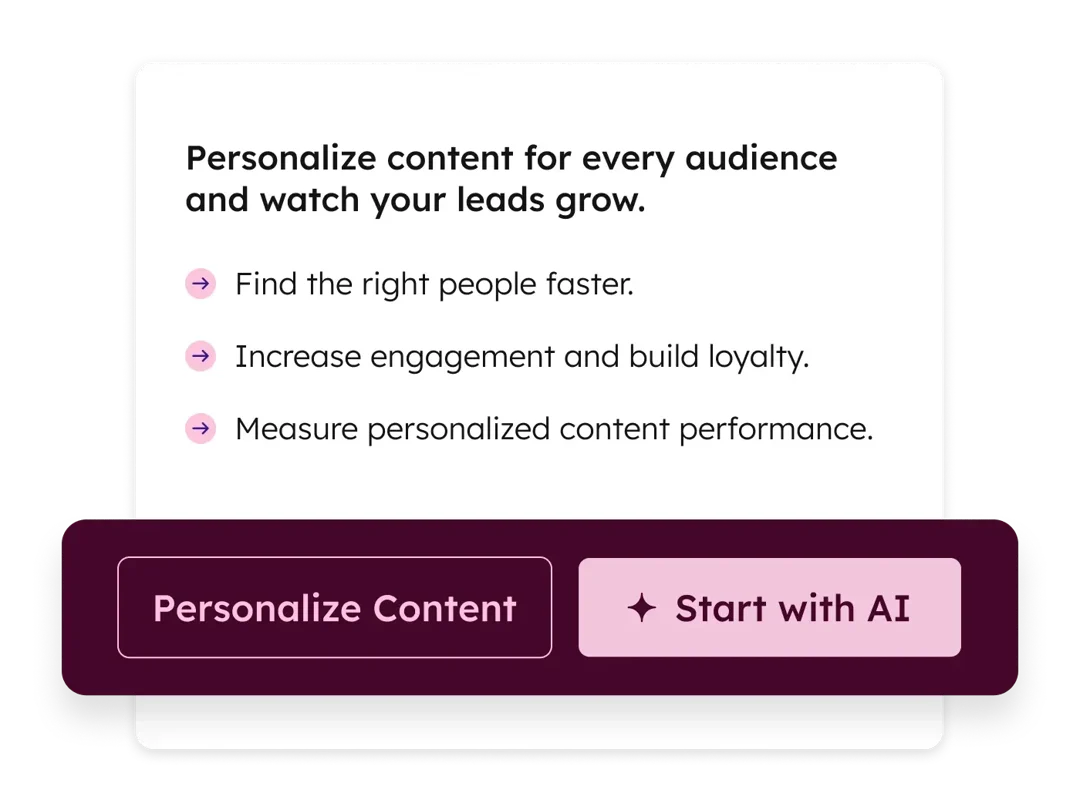
This pushes you past basic “Hello {First Name}” personalization into dynamic experiences that reflect lifecycle stage, behavior, and intent.
Data Agent (Beta): Your Embedded Analyst
Marketing and sales strategy always comes back to the same question: “What does the data say?” Data Agent exists so that question doesn’t become a three-week project.
- Analyzes CRM data, conversations, documents, and external sources
- Answers custom business questions using your real data
- Surfaces patterns your team can use for segmentation, forecasting, and planning
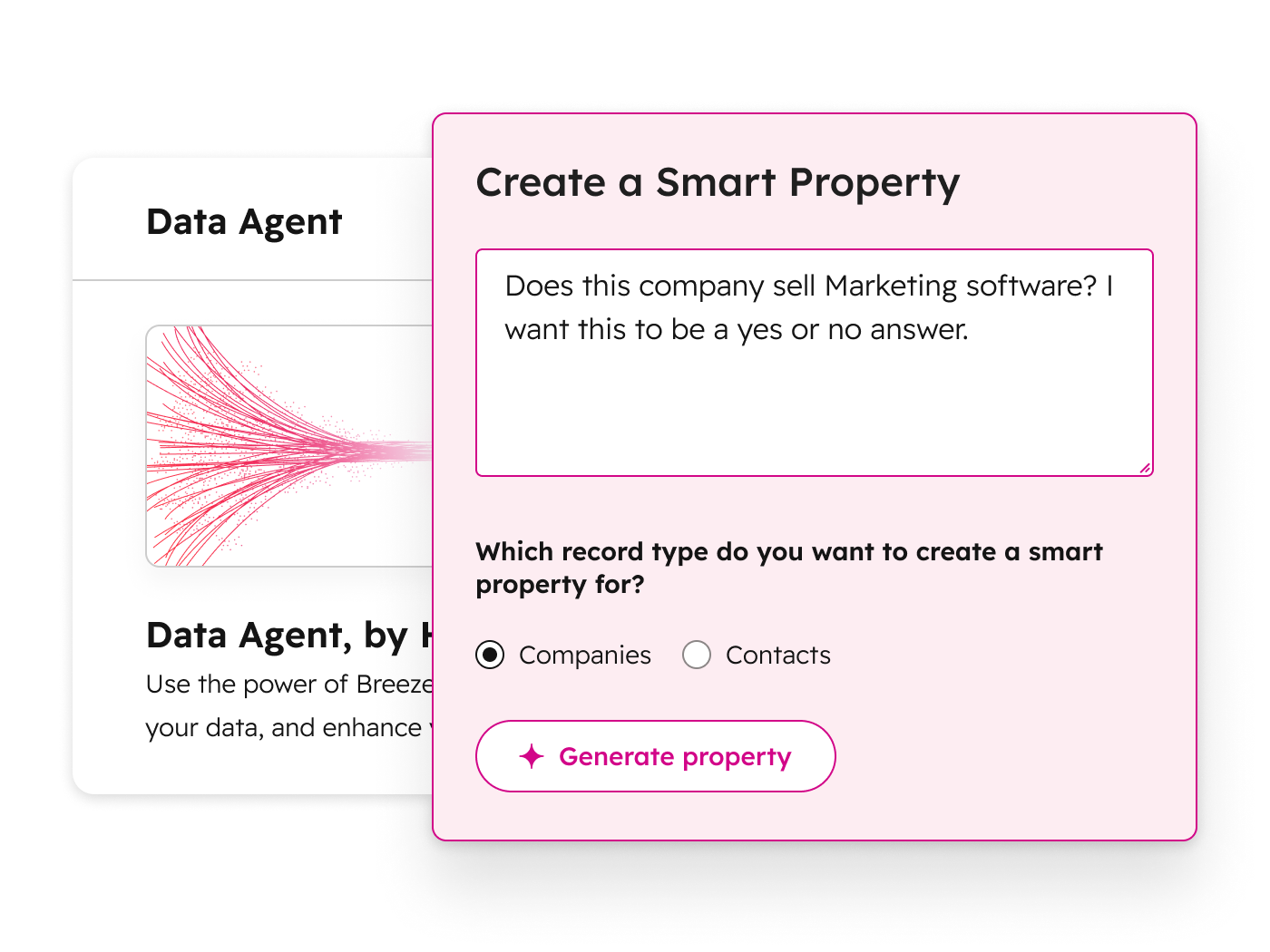
You ask things like, “Which customer segments have the highest expansion potential in the next 90 days?” and the agent answers using your pipeline and product usage data.
How HubSpot AI Agents Are Different From Generic AI Tools
Most generic AI tools live in a separate tab. You paste context in, generate something, paste it back out, and hope nobody notices the errors. Breeze AI agents are wired into your existing workflows and guardrails to provide accurate and relevant information.
- They run inside HubSpot, with direct access to CRM objects, tickets, and content
- You set brand voice, approval flows, and boundaries in Breeze Studio
- You get analytics on what they’re doing, so you can tune performance instead of guessing
That control matters.
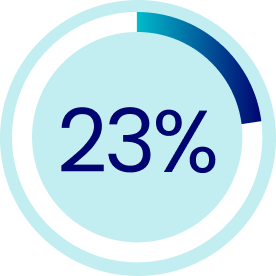
A recent survey found that 23% of organizations are already scaling agentic AI systems somewhere in their business, with another 39% experimenting. The gap between “we tried AI once” and “AI is a dependable part of our operation” usually comes down to governance, integration, and clarity about what the AI is allowed to do.
HubSpot leans into that with clear model cards explaining how agents interact with your data , built-in trust and safety features designed for CRM use cases, and a platform approach instead of a new one-off tool.
Where HubSpot AI Agents Fit Across Marketing, Sales, And Service
The magic isn’t just in what each agent does individually. It’s in how they work together across your go-to-market motion.
Marketing: Always-On, Always-Personal
Marketers stay focused on strategy by positioning creative and targeted offers. The agents take over the repetitive execution and optimization loop that usually gets procrastinated on.
- Personalization Agent is continually testing CTAs and page variants for key segments
- Data Agent is feeding insights about which campaigns actually create pipeline
- Customer Agent is handling basic pre-sale questions so reps aren’t stuck in the chat widget
Sales: Fewer Admin Hours, Stronger Conversations
Agents free reps from low-value busywork such as manual research, endless follow-ups, and copy-pasted outreach, and pushes them toward meaningful selling and relationship building.
- Prospecting Agent identifies and engages warm accounts based on real buying signals
- Closing Agent keeps buyers and reps moving through the pipeline with timely nudges and approved content
- Data Agent helps leadership spot stalls or bottlenecks early
Service: Scalable Support That Still Feels Human
Agents deliver support experience that feels responsive and informed, even as volume increases. And because everything runs through HubSpot’s Smart CRM, your teams see the same picture across hubs.
- Customer Agent resolves simpler questions and routes issues with better context
- Knowledge Base Agent creates and updates articles based on real gaps
- Personalization Agent and Data Agent help you tailor retention and expansion plays based on support history
Getting Started With HubSpot AI Agents
Without Creating Chaos
You can absolutely flip every switch at once and hope for the best, but you will likely quickly regret it. Here is the responsible way to approach HubSpot AI agents:
#1
Identify Your High-Friction Work
Start with a simple question for each team:
- Marketing: Where do good ideas die because nobody has time to execute them?
- Sales: Which manual tasks keep reps out of conversations?
- Service: Which tickets make your team say, “This again?”
The spots where work feels repetitive and predictable are prime candidates for your first agents.
#2
Pick One or Two Agents in Breeze Marketplace
Head into the Breeze marketplace and start with the agents that match those friction points: Customer Agent for repetitive support, Prospecting Agent for top-of-funnel grind, Knowledge Base Agent for documentation debt, and so on.
Resist the urge to install everything. Remember that you’re building a sustainable AI workforce, not speed-running a product tour.
#3
Configure Guardrails in Breeze Studio
This is where you keep output aligned with your standards. Inside Breeze Studio, take the time to:
- Define your brand voice with specific examples
- Set approval flows for actions that touch customers directly
- Limit which data sources each agent can see and act on
#4
Measure, Refine, Then Scale
As agents start running, track:
- Time saved on specific workflows
- Resolution rates, response times, and engagement metrics
- Qualitative feedback from your team on quality and edge cases
Small adjustments (tweaked prompts, tighter guardrails, new data sources) compound over time.
in ticket closure rates after a year. AI agents plugged into that same environment can amplify that trajectory when they’re tuned properly.

Design a HubSpot AI Agent Strategy That Actually Delivers ROI
If you’re ready to have a clear AI roadmap baked into your HubSpot portal, this is where a seasoned partner pays for itself.
Vonazon is an Elite HubSpot Solutions Partner that helps teams design, implement, and optimize HubSpot AI agents as part of a larger RevOps and marketing automation strategy, so your agents, workflows, and humans all pull in the same direction.